
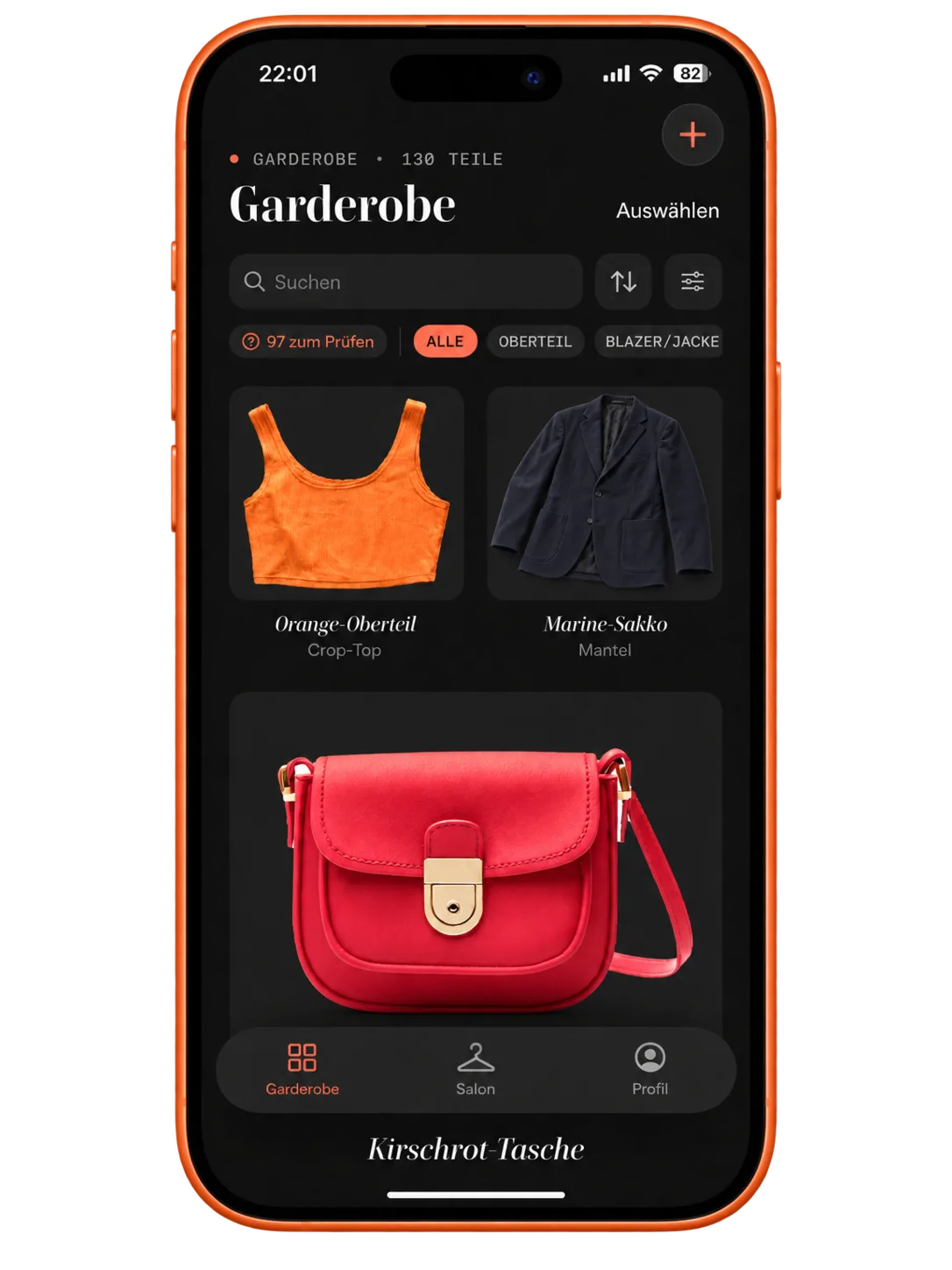
Answer this without opening the doors: how many white tops do you own? Most people guess, and most people guess low. A digital wardrobe puts an end to that guessing. It shows you on one screen what you actually own. Including the moment you're standing in a store holding a fifth white shirt.
What is a digital wardrobe?
A digital wardrobe is a picture index of your clothes. Every item photographed once, filed under a category, given a couple of tags. That's the whole idea.
Sounds unspectacular. The difference to the real closet is still enormous: the real one only works in one place, and only with the doors open. The index travels with you. On the train, in a store, at seven in the morning while you're still lying in bed working out what to put on.
And it shows everything at once. No more "behind the front row", no winter coat that vanishes from your head between October and March.
What you get out of it:
- You know what's there, including the pieces that rarely hang up front
- You combine on screen instead of changing four times
- You shop with more purpose, because you can check while you're standing in the store
- You plan travel outfits before the suitcase is lying open on the floor
Who the effort pays off for
Not everyone. If you own twelve things and you're dressed in five seconds, you don't need an index.
It gets interesting the moment you lose the overview, and that moment comes sooner than you'd think. As soon as the rail is two rows deep, you stop seeing the back one. If your clothes live in several places, sooner still: the basement, the guest room, that suitcase of summer things under the bed.
For anyone who shows their clothes, there's one more thing. Photograph and post your outfits, and you're planning content in advance instead of improvising it in front of the mirror at eight in the morning.
How to set one up
No studio required, no free day either. A phone, halfway decent daylight, one quiet evening.
The best moment is a clear-out day
If you're sorting through anyway, everything is already on the bed. The opportunity doesn't get better than that. What a full pass looks like is written out under Organize your wardrobe, where photographing is step four of five.
Starting without a clear-out? Then take one category at a time. All the tops today, all the pants on Friday. Take on the whole closet in a single evening and you'll quit at item thirty and never come back to it.
Photos that are worth something later
Four things that make the difference
- A plain background: a light wall, a bedsheet, the inside of the closet door
- Daylight from the side, no flash. Flash turns beige into gray, reliably
- One item per photo, laid flat or hung up, creases smoothed out
- Always from the same height, so the overview looks calm later instead of thrown together
None of it has to be perfect. You're not building a catalog here, you're building a memory.
The app takes the boring part
Sorting, naming, cutting out backgrounds: that's exactly where most attempts with a photo folder and a spreadsheet fall apart. In Try It, every photo you upload gets its background removed automatically, and the app recognizes category and color by itself. No form, no typing in names. What you end up with is your digital wardrobe on your phone, sorted by the same categories as the real one, only fully visible.
Want to start without an app? A photo album with subfolders will do for a first go. You'll notice soon enough that searching and combining stay laborious in there.
How much you need to capture at the start
Less than you think. Begin with what you actually wear. For most people that's twenty to thirty pieces, and the rest hangs there out of habit and never gets picked anyway.
That's already enough to combine with. Everything else you add when you feel like it, or never. An index that's eighty percent right and gets used beats one that's complete and abandoned after two weeks.
Categories and tags worth having
The same rule applies as in the real closet: the type of garment first, everything else after. In the morning you're looking for pants, not for "something dark".
Categories that hold up
- Tops: t-shirts, blouses, shirts, knitwear
- Bottoms: pants, jeans, skirts, shorts
- Dresses and jumpsuits
- Jackets and coats
- Accessories: bags, scarves, belts, jewelry
Tags you'll actually use
- Season, or you'll be searching between wool coats in July
- Occasion: work, everyday, evening
- Color, the basis of every combination
- Brand or fabric, if care instructions matter to you
Nothing beyond that is needed. Assign twenty tags per item and you end up maintaining a system instead of a closet. And you'll stop doing it after two weeks.
How to keep it current
An index that isn't accurate is worse than no index at all. Keeping it up costs barely any time, though, as long as it hangs off habits you already have.
- Photograph new items right away, ideally with the tag still on, on the kitchen table.
- Delete what you gave away or sold, or you'll be planning outfits around things that left months ago.
- Adjust the tags when a piece changes job. The office shirt that now does weekends.
- Look through it twice a year, at the change of season.
Which leaves the question of how much discipline this takes. Honestly? Surprisingly little. A photo takes ten seconds, and you don't shop that often. The point where these indexes tip over is almost always a different one. You clear out three bags in spring, don't delete them, and from then on nothing lines up.
What you do with it once it stands
Capturing everything is a means to an end. It gets interesting afterwards.
Combining. In Try It you swipe through your own pieces and put side by side whatever you want to see: top, pants, shoes, jacket. No machine tells you what to wear. You see your things next to each other for the first time and you decide. Whatever you like, you save as a look.
Planning ahead. Four outfits put together on a Sunday evening mean four mornings without a decision. Monday isn't thinking any more, it's just getting dressed.
Packing lighter. The travel planner builds the packing list from what you already own: a few pieces that work together, one planned look per day of the trip. Half the closet stays home.
Asking. Noé, the assistant in Try It, knows your wardrobe and takes occasion and weather into account. She suggests options and gives reasons for them. You can disagree at any point.
And here's what almost nobody expects: the closet feels bigger afterwards, even though not a single piece was added. That's down to the view. In the real closet, things hang sorted by hanger space; on screen they all lie on the same surface, and you shift them against each other however you want.
If you're heading toward fewer but better anyway, the digital wardrobe is the most honest groundwork for a capsule wardrobe. You see in black and white which thirty pieces that would have to be in your case.
Start small. Ten pieces you wear often, photographed tonight. The rest follows on its own, as soon as you notice how often you open that overview.